Get in Touch with Saiweiglass



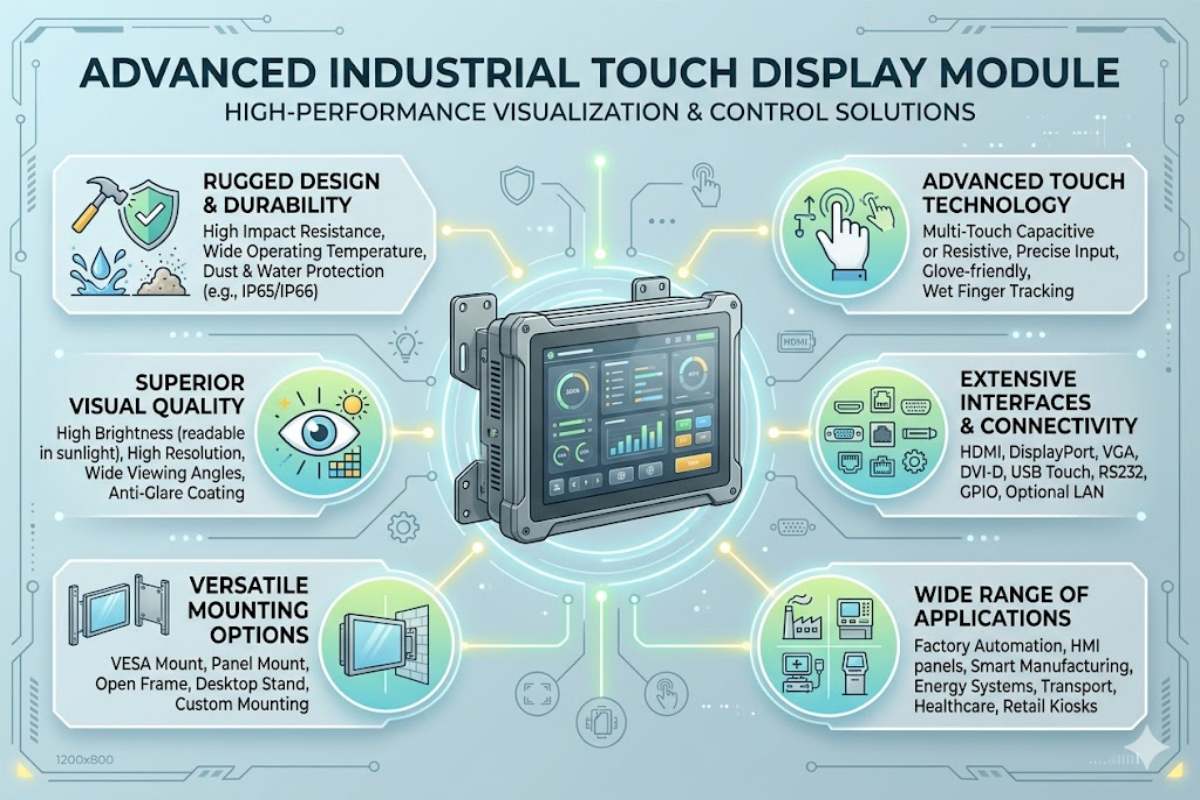
📐 Quick Specs — Industrial Touch Display Modules
| Display Types | TFT LCD, IPS |
| Size Range | 7″–55″ (most common: 10.4″–21.5″) |
| Touch Technologies | Projected Capacitive (PCAP), 5-Wire Resistive |
| IP Ratings | IP54 to IP69K |
| Operating Temp | -20°C to +70°C (wide temp models) |
| Mounting | Panel mount, VESA, open frame, rack mount |
| Interfaces | HDMI, DisplayPort, DVI, VGA, USB touch |
Industrial Touch Display Module Guide: Specs, Mounting, and Selection for Harsh Environments
Whether you are choosing a touch display module to use on a production factory floor, outdoor kiosk, or food-processing line, getting the wrong thing can result in water ingress, damaged panels, and millions of dollars in downtime. This guide covers all of the important specifications – from IP ratings and touch technology to mounting types and interface options – so you know how to select the right module for the environment instead of based on datasheet sales patter.
Learn about our forecasted capacitive versus resistive touchscreen panel, brightness levels for sunlight readability, grades of stainless steel enclosure, and real life application images of factory automation, pharma washdown, and outdoor transportation. At the conclusion, you will leave with an 8-step definitive selection checklist and answers to the most common engineering questions regarding industrial display modules.
What Is an Industrial Touch Display Module?
An industrial touch display module is assembled set containing a TFT LCD panel, integrated touch sensor either projected capacitive (PCAP) or resistive and controller electronics, all packed inside a heavy-duty enclosure engineered for factory-floor, outdoor or washdown uses. Note the term module: Shop for a liquid crystal display (LCD) or to an individual touch panel PC and in 99.9% of situations you will be purchasing something that is just a component part of an assembled tend the display—ready for installation as a component in an OEM controlled machine, HMI cabinet or kiosk housing.
What sets these units apart from consumer monitors?
Three factors. Firstly ingress protection: industrial modules have ratings from IP54 (dust protection & water jets) all the way up to IP69K for suspended applications, which is totally dust tight and able to withstand 80 C jet washdown. Secondly the operating temperature range: from -20 C (-40 C on the wide-temp units) to +70 C, compared to the 0 C to 40 C of an office display.
Thirdly shock & vibration: again carrying an extended rating of MIL-STD-810G for “battle field conditions” withstanding 20 G 11 ms half-sine shocks, and 2.4 Grms random vibration stress that would shatter even a consumer grade LCD in hours.
Industries that employ touchscreens range from small 7 devices for embedded automation controllers to 55 panels for large-scale SCADA walls but this 10.4 to 21.5 range is most common for HMI and machine-control applications. Display panels are either TFT LCD or IPS and the IPS technology has a larger viewing area (178/178 typical) this may be an advantage as your operator might come in front of the screen at different angles along a production line.
Almost all modules ship with a computer interface bundle: HDMI, DisplayPort or VGA for video input, and USB HID for touch data. A few modules include an ARM or x86 SBC (single-board computer) incorporated into the chassis, in which case the module is functionally a complete panel PC. This makes a practical difference when purchasing, since a display-only module allows system integrators to select their own controller hardware.
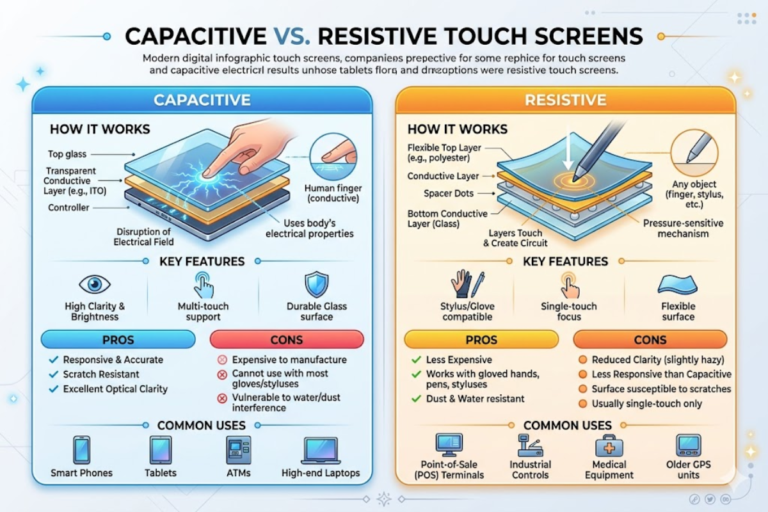
Projected Capacitive vs. Resistive Touch for Industrial Use

Selection of projected capacitive or resistive touch industrial monitors has implications for durability, ease of use, and overall investment. Below is a summary of functionality between the two technologies based on specifications applicable to industrial use – not marketing spiel but raw facts.
| Spec | Projected Capacitive (PCAP) | 5-Wire Resistive |
|---|---|---|
| Touch Points | Up to 10 (multi-touch) | 1 (single touch) |
| Optical Transmittance | ~90% | ~82% |
| Surface Material | 7H tempered glass | Polyester film |
| Glove Compatibility | Up to 5mm with firmware tuning | Any glove, any thickness |
| Chemical Resistance | Sealed glass front — alcohol, solvents, bleach | Film surface degrades under harsh chemicals |
| Lifespan | 50M+ touches | 35M touches (5-wire) |
| Water Rejection | Firmware-based, configurable | Pressure-based (no false triggers) |
| Activation Force | 0g (capacitive coupling) | 50–100g pressure |
✔ PCAP Advantages
Multi-touch gestures ( pinch-to-zoom on SCADA maps, two-finger scroll through alarm logs). The 7H tempered glass surface is scratch-resistant even when using tools, or stiff scrubby pads during cleaning. No moving parts never wear out; projected-capacitive touchscreen will typically exceed 50 million touch activations.
Optical transmittance of ~90% keeps image bright while not requiring higher backlight power.
⚠️ PCAP Limitations
Thick insulated gloves (>5mm) also block capacitive coupling, unless the controller firmware has been specifically optimized for glove mode – and even then, the sensitivity and responsiveness will be diminished. Water trapping on the screen surface would be interpreted as phantom touches, unless the controller firmware implements a water rejection algorithm. Use of the unit costs at least 15-30% higher than resistive at comparable screen sizes.
✔ Resistive Touch Advantages
Works with every glove – leather, nitrile, insulated winter glove – since touch activation is performed by pressure, not electrical capacitance. No false inputs will be reported if driven by rain, fog, or cleaning washdown spray. Lower unit cost, standard controller electronics. Proven for old legacy factory automation, where operators commonly input data using a stylus on resistive touchscreens.
⚠️ Resistive Limitations
Single touch only, no gesture support. The polyester top layer of the PCAP screens wears out for high-use locations, especially due to re-positioning of physical buttons over time (35 million touch cycle based rating versus 50 million or more for a PCAP touch panel). Lower light throughput percentage (~82%) causes the LCD behind to appear somewhat dimmer. Touchfilm surface is sensitive to aggressive cleaning agents such as caustic (sodium hydroxide) based solutions used in food plant sanitation.
Engineering Note: When specifying capacitive touchscreen monitors with water washdown suitability, always confirm that the display module supplier has developed and tested a water rejection mode in the touch controller firmware. Failing to do so results in false machine signals, unintentional operational commands, and unwanted disruptions on the factory floor.
Rugged Specifications — IP Rating, Temperature, and Vibration
Every enclosure surrounding an industrial touchscreen display module defines its survivability limits. IP ratings, as described in IEC 60529, rank precisely how much water and dust ingress the enclosure can tolerate. Here are the practical definitions for each.
| IP Rating | NEMA Equiv. | Dust | Water | Typical Application |
|---|---|---|---|---|
| IP54 | NEMA 12 | Protected | Splash-proof | Office industrial, control room |
| IP65 | NEMA 4 | Dust-tight | Water jet (6.3mm nozzle) | Factory floor, assembly line |
| IP66 | NEMA 4X | Dust-tight | Powerful jet (12.5mm nozzle) | Corrosive environments, marine |
| IP67 | NEMA 6P | Dust-tight | Submersion (1m / 30 min) | Outdoor kiosks, field equipment |
| IP69K | — | Dust-tight | High-pressure hot water (80°C) | Food processing, pharma washdown |
Thermal and shock endurance tests are based on standards from MIL-STD-810G, used primarily for military vehicles and weapons systems. Here are the levels of ruggedization an OEM can provide:
- Standard operating temp: -10°C to +60°C
- Wide range operating temp: -20°C to +70°C
- Extended operating temp: -30°C to +80°C
- Vibration tolerance: 2.4 Grms random (MIL-STD-810G Method 514.7)
- Shock resistance: 20G half-sine, 11ms pulse (MIL-STD-810G Method 516.7)
Sunlight Readability and Optical Bonding
For outdoor industrial touch monitors, backlight brightness must be over 1,000 nits in direct sunlight to be visible. Optical bonding eliminates the air gap that would otherwise be present between the substrate glass and LCD. This significantly reduces reflectivity and glare by up to 80%, and increases contrast by up to 400%. Applying antiglare (AG) or anti-reflective (AR) surface coatings increases light transmittance by up to an additional 4%. To meet the requirements of IEC 62368-1, outdoor displays must also survive UV aging tests that demonstrate the backlight and polarizers will endure 50,000 hours of continuous operation.
| Environment | Min Brightness | Recommended |
|---|---|---|
| Indoor office | 250 nits | 300 nits |
| Factory floor | 400 nits | 500 nits |
| Semi-outdoor / covered | 700 nits | 1,000 nits |
| Direct sunlight | 1,000 nits | 1,500 nits |
Special enclosure materials are frequently required. In most cases, weatherproofing enclosures are composed of powder-coated aluminum or cold-rolled steel. To replace API5 and other industrial washes down processing, food processing and pharmaceutical production need stainless steel: grade 304 for commonplace wider factory cleaning, grade 316L if your facilities are exposed to aggressive chemicals, seawater splash, or corrosive constituents. For every 40-60% premiums paid for the controller body, the enclosure will no longer be susceptible to corrosion, rust, and failure when subject to routine wash down processing. However, a 316L enclosure will not also be any more shock/rainproof than a 304 enclosure unless rated to IP66/68.
Mounting, Enclosure, and Interface Options
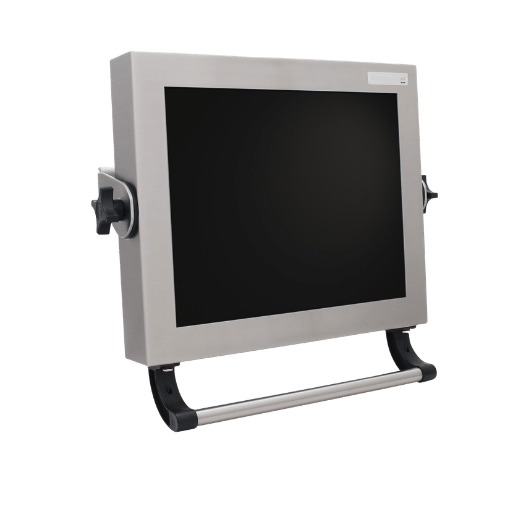
You are limited by what your installation constraints will permit regarding method of mounting a rugged touch display: whether a face panel cutout, a wall-mounted station, or installed within a network amplifier server cabinet. Each mounting category carries differing front and rear IP implications:
| Type | Description | Typical Use |
|---|---|---|
| Panel Mount | Flush into enclosure cutout, IP-rated front | HMI cabinets, machine control |
| VESA Mount | 75×75mm or 100×100mm bolt pattern, arm/bracket | Adjustable workstations, walls |
| Open Frame | Bare chassis, no bezel, integrates into custom housing | Kiosks, ATMs, vending machines |
| Rack Mount | 19″ standard rack, slide rails | Server rooms, control centers |
Panel mount is the most prevalent type of industrial touch screen – the display flush mounted in a cutout, sealed front face with gaskets and clamp brackets to guarantee ingress protection to IP65 or above. Note that the back side often remains at IP20 – protected by the surrounding enclosure cabinet. If your environment requires rear-side protection (outdoor mounting, for instance), go for a fully sealed chassis with IP65+ all-round ratings.
VESA mounting allows flexible positioning using articulating arms, beneficial on an assembly line where operators change from sitting to standing all day. Open frame modules were optimized for embed applications – the OEM installs the display within a custom enclosure, kiosk shell, or equipment housing, hiding the industrial monitor behind the product’s bezel.
Interface Compatibility
| Interface | Max Resolution | Cable Length | Use Case |
|---|---|---|---|
| VGA | 1920×1200 | 15m | Legacy systems |
| DVI-D | 2560×1600 | 5m | Industrial PCs |
| HDMI 2.0 | 4K @ 60Hz | 5m | Modern panel PCs |
| DisplayPort | 4K @ 60Hz | 3m | High-res HMI |
| USB (touch) | N/A | 5m | Touch data (HID) |
Power input on industrial modules supports 9-36V DC wide-voltage range, with 24V DC nominal voltage. This range allows for voltage swings on factory power feeds and vehicle electrical systems (12V/24V). Several models incorporate dual power connectors to provide redundancy for mission-critical applications where a single power supply shortcoming is intolerable.
Industrial Applications — HMI, Factory Automation, and Outdoor
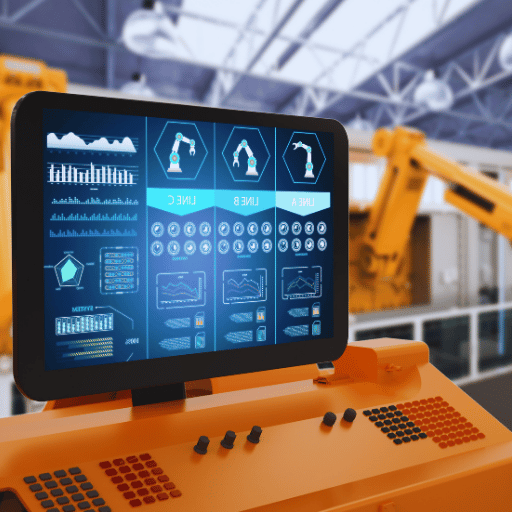
Correct specs set matters in the choice of industrial touchscreens, depending on the environment. A computer touch in a controlled server room has no relevant aspects in common with one bolted into a forklift. The matrix maps five major industry verticals to the specs that truly define the application for each project.
| Industry | Environment | Key Requirements | Recommended Specs |
|---|---|---|---|
| Factory Automation | Indoor, vibration, dust | SCADA/HMI, MES terminals | IP65, PCAP, 500 nits, panel mount |
| Food & Beverage | Washdown, chemicals | Stainless steel, fanless | IP69K, 316L SS, PCAP, 1,000 nits |
| Outdoor / Transportation | Sunlight, rain, temp extremes | Sunlight readable, wide temp | IP67, 1,000+ nits, -20°C to +70°C |
| Oil & Gas | Hazardous area, corrosive | ATEX/IECEx certification | IP66 NEMA 4X, -40°C to +70°C |
| Warehouse / Logistics | Forklift vibration, dust | Barcode/RFID, shock resistant | IP65, 20G shock, VESA mount |
In factory automation, the application of choice for industrial touch display and custom HMI displays is the SCADA interface, MES terminals, CNC machine operation, where operators use the real-time production displays, the alarm dashboards, and the recipes screens. PCAP multi-touch offers faster gesture support (pinch-to-zoom on the process graphics, two-finger scrolling through the event log) and therefore is preferable than the standard resistive touch panel.
Outdoor and transportation present the most demanding combination of environmental forces: need for 1,000+ nit glare free sunlight readability, rain and snow waterproofing (IP67), and temperature range from -20C in winter nights to +70C summer heat on dark-enclosures. This is when optical bonding and wide-temp TFT LCDs deliver the durable uptime value.
Pro Tip: Fanless design is a key requirement for the food processing environment: thanks to no external ventilation slots, the fanless convection-cooled units eliminate any risk of circulation-based contamination. Also, specifying sealed stainless steel 316L enclosures will allow adherence with the FDA 21 CFR and EHEDG hygiene guidelines. No external fans translates into easier sealing (IP69K) since openings are not there to be gasketed.
How to Select the Right Industrial Touch Display Module
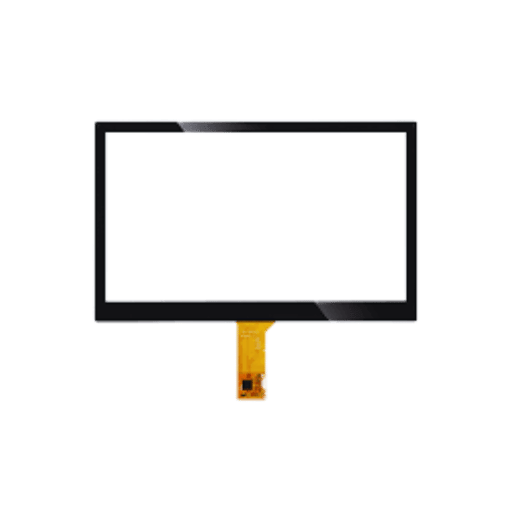
Choosing the best fitting SaiWeiGlass touch display module involves running through 8 decisions at once – 8 points of potential mismatch between the specs and the actual environment if one is skipped. For example, the IP enclosure rating may be grossly underestimated, or your environment may require a touch technology that simply cannot bear the conditions.
- First, establish the operating environment such as an indoor shop floor, an outdoor walkway, a washdown cell or a hazardous environment (ATEX Zone 1/2). Know the environment will set all the single points costs of infrastructure and application performance.
- Then, rate the ingress protection: factory environment with occasional washdown needs at least IP65, high-pressure and -temp cleaning on a food item line requires IP69K.
- Touch technology selection: PCAP for multi-touch, sealed glass surfaces, chemical resistance. Resistive for heavy-glove operation, and water-pooling environments.
- Brightness specification at 500 nits for strongly lit indoor shops, 1,000+ nits with optical bonding for any semi-outdoor, direct-sunlight install.
- Screen size resolution selection: 10.4 (1024768) for tight HMI stations, 15.6 (19201080) for detailed process graphics, 21.5 (19201080) for multi-windowed SCADA dashboards.
- Mount type: depends on physical constraints: panel mount for machine cabinets, VESA for an adjustable work station, open frame for an integration kiosk project.
- Interface compatibility: HDMI/DisplayPort for modern industrial PCs, VGA/DVI for legacy units that cannot be upgraded.
- And review certifications: IEC 62368-1 for safety, UL and CE for market access, ATEX/IECEx if the display enters a hazardous classified zone.
Cost warning: Under-specifying IP rating in a washdown environment risks water ingress and display failure in a few months; over-specifying – specifying IP69K when you can reasonably get away with IP65 – adds 200-500 $/uVU in volume. Match the rating to the actual cleaning protocol, not the worst-case scenario your plant might theoretically encounter.
Our Expertise in Industrial Display Glass
SaiWeiGlass manufactures chemically strengthened cover glass, and anti-glare coated panels for industrial touch display modules. We have tested the optical bonding and cover glass hardness specifications cited in this guide on glass stacks we received from HMI and panel PC integrators serving the factory automation, food processing and outdoor kiosk industries.
Frequently Asked Questions
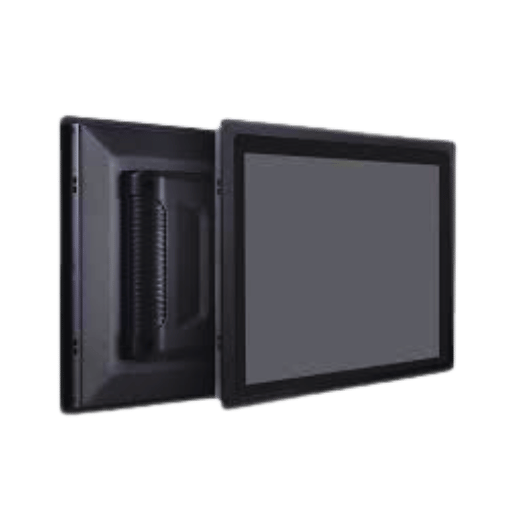
What is an industrial touch display module?
View Answer
An industrial touch display module is a factory hardened component that combines an LCD panel, a touch sensor, a controller card, and a rugged enclosure together as a single unit that is rated for tough operating conditions. They are rated at IP65-IP69K, operate in a -20 to +70C temperature window, and tolerate vibration and shock according to MIL-STD-810G tests. They are built to integrate into HMI cabinets, kiosks and factory automation equipment where consumer grade displays would crash in a matter of weeks.
What IP rating do I need for a factory touch screen?
View Answer
IP65 is the minimum for most factory floors – it offers dust-tight sealing, allows for minimum 12.5mm ingress protection on (hose-pressurized, water only) spray nozzles. If you run high-pressure 80C hot-water sanitations, you need IP69K, which handles close-range 80C hot-water spray.
Projected capacitive or resistive — which is better for industrial use?
View Answer
Neither technology is better than the other – the answer depends on your operating conditions. Projected capacitive is the default in factory automation, food processing, retail checkout, and bank ATM applications; it is great when you need multi-touch gestures, chemical-resistant surfaces, long product life (50M+ touches), and advanced pinch-to-zoom controls. Resistive is best when operators wear thick insulated gloves (>5mm) or where persistent water on the display surface will generate ghost touches on a capacitive panel. The cost delta is substantial: PCAP displays cost around 15-30% more than a good-quality resistive, but the glass envelope eliminates the polyester wear layer that caps a resistive panel to around 35M touches.
Can industrial touch displays work in direct sunlight?
View Answer
Yes, but only if the display is brighter than 1,000 nits, and the module employs optical bonding between cover glass and LCD panel. Optical bonding removes the air gap inside the LCD that causes reflections and can improve contrast ratio by 400% when used outdoors. A front-glass anti-glare/anti-reflective coating yields an additional 2-4% transmittance benefit, and this benefit is combined with optical bonding to provide a TFT industrial touchscreen module that can be read in 100,000 lux midday sun.
What mounting options are available for industrial touch displays?
View Answer
The four choices for standard mounting methods are panel mounting (flush mount into an enclosure cutout), VESA mounting (with 7575mm or 100100mm bolt pattern for arms and brackets), open frame (bare chassis for embedding into custom housings), rack mount (19 standard for server rooms and control centers). Panel mounting is by far the most common for HMI cabinet manufacturing where the front face needs IP65+sealing.
How long do industrial touch monitors last?
View Answer
A reliable industrial monitor will provide 7-10 years of uninterrupted operation. The weak components will be the LED backlight, which historically rated to 50,000 hours (roughly 5.7 years at 24/7 use) to half its original brightness. PCAP touch sensors have a lifetime of billions of activations, while 5-wire resistive sensors are good for 35 million touches-probably enough for most industrial duty cycles, but a concern for very-high-frequency kiosk applications.
References
- IEC 62368-1 — Audio/Video, Information and Communication Technology Equipment — Safety Requirements
- MIL-STD-810G — Environmental Engineering Considerations and Laboratory Tests
- NEMA 250 — Enclosures for Electrical Equipment (1,000 Volts Maximum)
- FDA 21 CFR — Food Safety Modernization Act (FSMA)
- IEC 60529 — Degrees of Protection Provided by Enclosures (IP Code)
- EverySpec — MIL-STD-810 Test Methods Archive
Related Articles